For product (drug) litigations, you can view all of the drugs prescribed and/or documented in the claimant's records from the Review page or through our Drug Table configuration.
The Drug Table configuration includes a table of all drug data that can be identified in the Pharmacy records, including the Document Name, Page Number, Product, Drug Start Date, and Record Type. When Drug Table is configured, the findings are listed in chronological order on the Review page. From the Drug Table, you can pin individual records or pin all drug findings to your Case Profile.
Pinning Individual Records
Choose which records to pin using the individual checkmarks on the left. Once your desired records are selected, click the PIN button, then click Save.
Pinning All Findings
Click the Select All checkbox found on the top left of the header bar. Once your desired records are selected, click the PIN button, then click Save.
Note: the Select All checkbox only selects all records on a single page (up to 20). To select all findings across all pages, navigate to the additional records using the arrows on the bottom left, and select the respective Select All checkbox at the top of each page.
Drug Table on Review Page
Bulk Editing Records
On the bulk editor page, before saving your pins, you also have the option to enter additional data about each record using the header bar highlighted in the image below, as well as the option to apply additional data to all findings.
Drug Findings Bulk Editor
Applying a Response to all Pins on Drug Table Bulk Editor
Viewing Pinned Records
On Case Profile, you can view a list of the pinned Product (drug) records by selecting the Table view button outlined below.
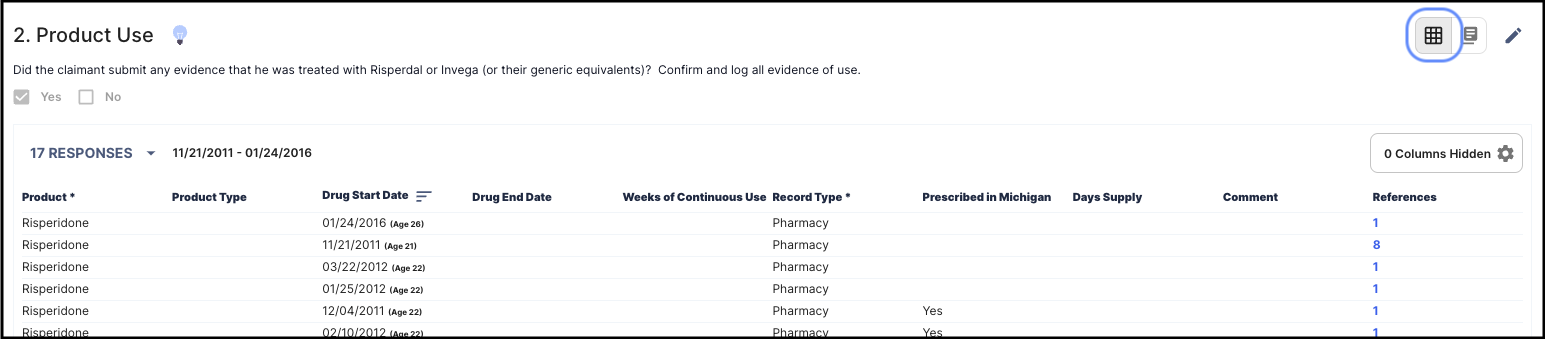
Drug Findings on Case Profile
If you have any questions about Drug Table configuration on any of your lenses, please reach out to support@patterdata.io or submit a help desk ticket here.